YouCine APK v1.17.6 Download for Android: Verify Before You Install
YouCine APK is the Android installation file for YouCine, an unofficial streaming app that is not on Google Play. As of October 5, 2026, we could not verify an official download source, a published file hash, or one agreed version number. This page shows what is confirmed, what is only reported, and how to check any file yourself before you install it.
| What it is | Unofficial third-party streaming app Reported |
| File type | Android APK Verified |
| Google Play | Not listed Reported |
| Package name reported | com.world.youcinemobile Unverified |
| Version claims | 1.17.6 most repeated Conflicting |
| Official source | Could not be verified Unverified |
| Last reviewed | October 5, 2026 |
Download YouCine APK v1.17.6
Version 1.17.6 Reported · Android APK · Please follow the verification checklist before you install this file.
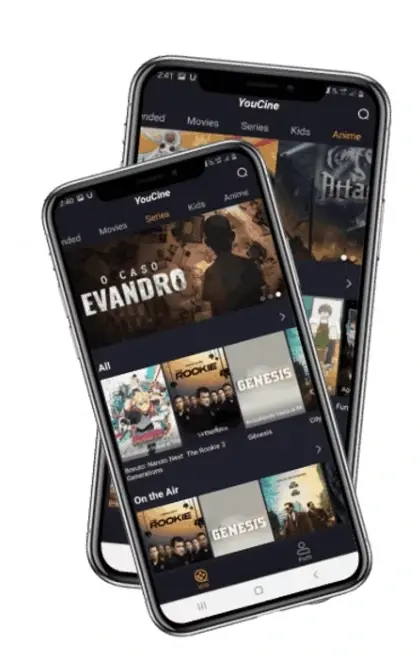
Download YouCine APK v1.17.6YouCine APK Screenshots
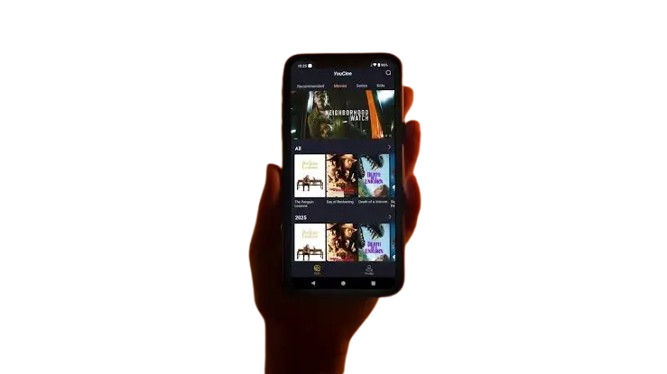
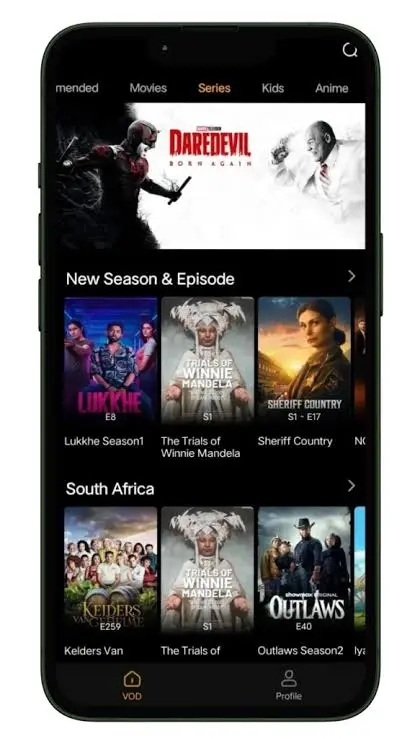
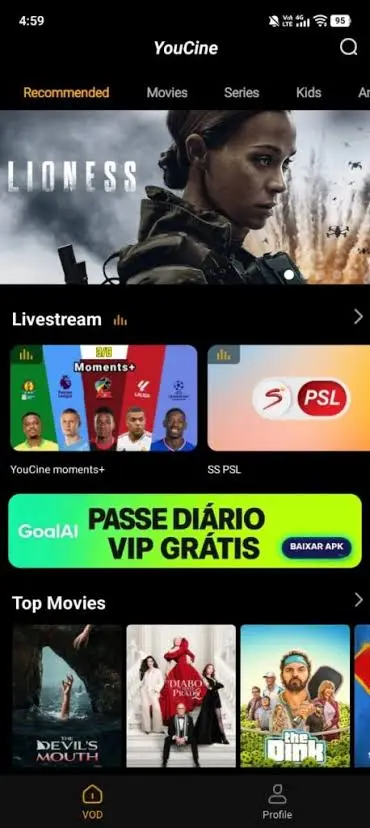
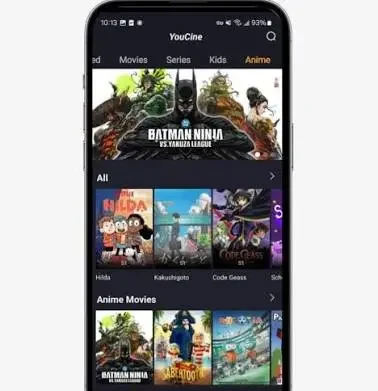
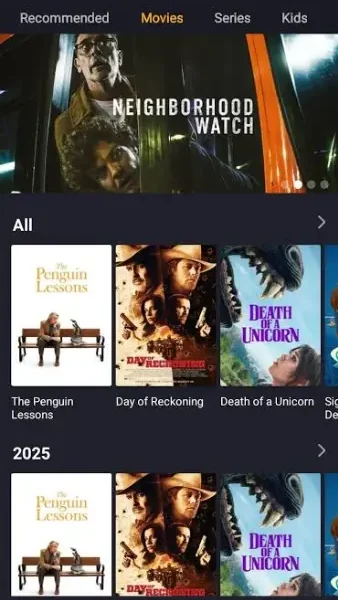
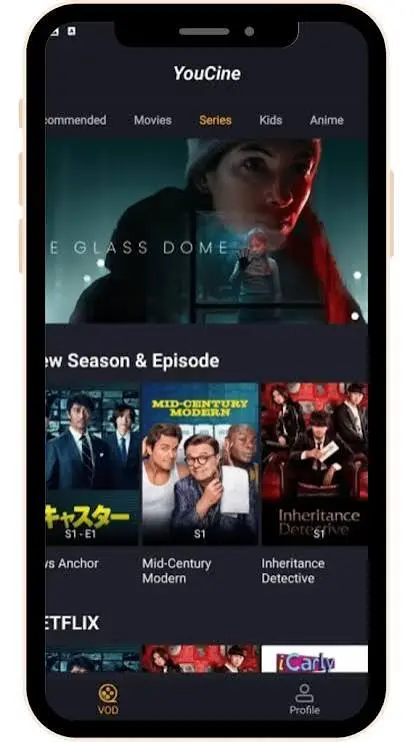
Images below are shown for reference only. They do not confirm the app’s features or that any file is genuine.
On This Page
Understand it
Download · What it is · Is this the correct APK? · Versions · Updates
Check your device
Compatibility table · System requirements · Android · Android TV · TV box · Fire TV · Samsung, LG, Roku · PC and Mac · Install steps
Fix a problem
Troubleshooting center · Not installing · Crashes · Buffering · Login · Payment · Region
Stay safe
What Is YouCine APK?
An APK is the file format Android uses to install apps. A YouCine APK is a file that installs the YouCine streaming app on an Android device, outside Google Play. Third-party sites describe YouCine as a free app for movies, series, anime and live channels.
The confusing part is that there is no single place you can check. Many websites each present themselves as the official source, show different version numbers, and host different files. Some of those files may be re-uploads or modified copies, which is exactly how malware usually reaches phones: a familiar app name with something added.
Before you download or install anything, you need to be able to answer three questions: who made this file, is this the file they made, and will it run on my device. The next sections help you answer each one.
What Third-Party Sites Say YouCine Offers
Almost everything known about the app’s features comes from websites that distribute it, so none of it is independently confirmed. Here is what those sites claim, and how much weight each claim deserves.
Content library Reported
Movies, series, TV shows, anime, kids’ shows, documentaries, live TV channels and sports. The size of the library is not documented anywhere we could check.
Video quality Unverified
Sites claim anything from 480p up to 4K. Real quality depends on each individual stream source, your device and your connection, not on the app.
Subtitles and languages Reported
Several sites mention subtitles in many languages and Portuguese, Spanish, English, Hindi and Indonesian interfaces. Coverage per title is not documented.
Extra features Reported
Some pages mention external player support (such as MX Player or VLC) and offline downloads. Other pages say downloads are not possible from streaming-only sources, so treat this as unconfirmed.
Price Reported
Described as free, with no subscription. At least one review also says there is no support helpdesk.
Ads Conflicting
Some sites say no ads. Others warn of pop-ups that can lead to unsafe pages. The answer probably depends on which build you have.
What the Sites Do Not Tell You
In the sources we reviewed, we found no named developer company, no physical address, no clear statement of how user data is handled, and no information about where the video streams come from. Those four gaps matter more than any feature list, because they are exactly what you would need in order to judge the app’s safety and legality.
Is This the Correct YouCine APK?
We could not prove that any specific YouCine APK file is the genuine one. The developer is described only as “YouCine Team,” and we found no developer-published source, hash or signature to compare a file against. Treat every file as unconfirmed until you check it yourself (see the verification checklist).
| What to check | What we found | Status |
|---|---|---|
| Developer identity | Sites name “YouCine Team.” No company name, address or contact was found. | Unverified |
| Website identity | Many sites each claim to be official. An automated security scan of one YouCine mirror site described it as a clone of another site and flagged it by four antivirus engines. | Conflicting |
| Download source | Files are served from third-party storage and mirrors, not from a verifiable developer page. | Unverified |
| Package name | com.world.youcinemobile is reported by one third-party listing. | Reported |
| Version and version code | Version 1.17.6 is widely repeated. A version code of 1176 is mentioned in one listing that itself says it is not published anywhere. | Conflicting |
| Release date | Sites give April 2026, July 2026 and August 2026 for the same version. | Conflicting |
| Hash and signature | No developer-published hash or signing certificate found. | Unverified |
Warning Signs on a Download Page
Many “official” sites
When a dozen different sites each claim to be the official source, at most one of them can be right. The rest are copies, and you cannot tell which is which from the page alone.
File is a ZIP, not an APK
A real installer ends in .apk. An archive can hide extra files next to the installer, and you cannot install it by tapping it.
Unrelated text on the page
Some pages we reviewed had unrelated gambling keywords inside their text. That points to a hacked or auto-generated site.
Redirects and pop-ups
A button that opens extra tabs, asks you to install a second app first, or asks to “verify you are human” through an app is a red flag.
Figures that do not agree
Same version, different file sizes and dates across sites means these are not the same file, or the numbers were made up.
A hash on the same page
A checksum is only useful if it comes from a different, trusted place than the file. Whoever can swap the file can swap the checksum too.
In plain terms: there is no way to prove from a website alone that a YouCine file is the original. What you can do is reduce risk, by checking the file itself and by installing nothing you cannot explain.
YouCine APK Versions Explained
There is no verified “latest version.” Different sites claim different numbers, and none of them is backed by developer release notes we could find. Do not treat any single number as the universal latest official version.
| Version claim | Where it appears | Status |
|---|---|---|
| 1.17.6 | Repeated across many third-party download sites. No developer release notes found. | Reported |
| 1.16.8 and 1.16.11 | Listed by third-party sites as earlier builds. | Reported |
| 9.15.6 | A “pre-release” on an unofficial GitHub repository dated 2025, labelled for Android and iOS. The numbering scheme does not match the 1.x line. | Conflicting |
| 1.17.9 | We found no YouCine release with this number. | Unverified |
What Changed in Version 1.17.6?
We found no developer changelog or release notes, so we cannot say what changed in this version Unverified. Any list of “new features” or “bug fixes” on a download site is a claim, not a record. The only reliable way to compare builds is the build record below: package name, version code, signing certificate, file size and hash.
Why Sites Show Different Versions
Sites copy each other, re-host older files under new “latest” labels, or distribute modified builds. Even for “version 1.17.6,” listed file sizes range from about 36 MB to 43 MB and “last updated” dates differ. Files that really were identical would not differ like that.
How to Find the Version Installed on Your Device
On Android, open Settings, then Apps, then YouCine, and scroll to the version shown under App info. A different file size or version code than you expected is a reason to stop and re-check the source.
Version Name and Version Code Are Different Things
The version name (such as 1.17.6) is just a label the developer chooses. The version code is a whole number that Android uses to decide whether a file is an upgrade or a downgrade. Android refuses to install a lower version code over a higher one, and refuses any update signed with a different certificate. A site that shows a version name but no version code, no package name and no signing details has told you very little.
Keep a Build Record
If you do decide to install a file, write down these details first. They let you spot a swapped or changed file later.
| Detail | Where to find it | Why it matters |
|---|---|---|
| Package name | aapt output or App info | A different name means a different app |
| Version name and code | aapt output | Detects upgrades, downgrades and mix-ups |
| Signing certificate fingerprint | apksigner output | Detects a rebuilt or tampered file |
| File size and SHA-256 hash | File properties or hash tool | Detects a changed download |
| Source address and date | Your own note | Shows which site the file came from |
What to Do When Sites Disagree
If two sites show the same version with different file sizes, treat them as two different files. If a site lists an older version as “latest,” or a newer number with no dated release notes, treat the claim as marketing. When no claim can be confirmed, the honest answer to “which version should I install?” is: none of them can be called verified, so choose based on the checks in this guide rather than on the number.
YouCine APK Compatibility by Device
An APK only installs on devices that run Android. Android phones, tablets, Android TV, Google TV and Android-based Fire TV models can accept it. Samsung, LG and Roku TVs and iPhones cannot.
| Device | Can it install an APK? | What you need |
|---|---|---|
| Android phone | Yes Reported | Android 5.0 or newer is the commonly reported minimum, plus a compatible build |
| Android tablet | Yes, build check needed Unverified | Matching Android version and processor type |
| Android TV | Platform allows sideloading Verified | Unknown-apps permission; whether the app suits TV navigation is unconfirmed |
| Google TV | Platform allows sideloading Verified | Same as Android TV; build compatibility unconfirmed |
| Android TV box | Platform allows sideloading Verified | Enough storage and a matching processor type; certified hardware is safer |
| Fire TV | Depends on the model Verified | Android-based Fire OS yes; newer Vega OS devices no |
| Samsung TV | No Verified | Runs Tizen, not Android |
| LG TV | No Verified | Runs webOS, not Android |
| Roku | No Verified | Uses the Roku Streaming Store |
| Windows | Only through an Android emulator Reported | No native Windows app found |
| macOS | Not confirmed Unverified | No native app found; emulator support differs by Mac |
| iPhone and iPad | No Verified | APK is an Android format; “iOS” claims on some sites are unverified |
Processor Type Matters as Much as the Android Version
An APK can contain code for specific processor families. Installing a build that does not match your device fails with a “not compatible” or “no matching ABIs” message.
| Processor type | Typical devices |
|---|---|
| arm64-v8a (64-bit ARM) | Most phones and tablets from recent years, and most current TV boxes |
| armeabi-v7a (32-bit ARM) | Older phones, budget devices and some older TV boxes and sticks |
| x86_64 (64-bit Intel/AMD) | Most PC emulators, Chromebooks and some tablets |
Third-party listings say the YouCine APK supports ARM and ARM64 builds Reported. We could not confirm whether it includes x86 code, so behaviour inside an emulator on an Intel or AMD PC may vary Unverified.
YouCine APK System Requirements
Third-party listings report Android 5.0 or newer, an ARM or ARM64 processor, and a file of roughly 36 to 43 MB. None of this comes from a developer, so treat it as a minimum guide, not a guarantee.
| Requirement | What is reported | Status |
|---|---|---|
| Android version | Android 5.0 or newer | Reported |
| Processor | ARM (32-bit) and ARM64 builds. x86 support not confirmed | Reported |
| File size | About 36 to 43 MB, depending on the site | Conflicting |
| Free storage | At least 1 GB free is the common advice, more on older devices | Reported |
| Memory (RAM) | Devices with 2 GB or less may stutter or freeze | Reported |
| Internet | A stable connection is needed to stream | Reported |
| Permissions | Internet and notifications on one scanned listing | Unverified |
If your device is below these numbers, the app may still install but run badly. See device compatibility and crash troubleshooting.
Know Your Device Before You Go Further
Your device decides which route works. Check the table above, then follow the steps for your exact device.
See Install Steps by DeviceYouCine APK for Android Phones and Tablets
This is the one route that works in the normal way. Third-party listings report Android 5.0 or newer and both 32-bit and 64-bit ARM processors, but none of that is confirmed by a developer.
- Download: only from a source you have checked, never from an ad, pop-up or “update” prompt.
- Verify: check package name, version and signature (see the checklist).
- Allow installation: enable “Install unknown apps” for the single app you downloaded with, and turn it off again afterwards.
- Install and open: tap the file, then Install, then Open.
- First setup: deny any permission that has nothing to do with streaming.
Play Protect: What It Does With a Sideloaded File
Google Play Protect scans apps on certified Android devices, including apps installed from outside Google Play. Depending on what it finds, you may see “App scan recommended” for a file it has never seen, “App blocked to protect your device,” or a warning that the app is harmful. For unknown files, Play Protect can ask to send the app to Google for analysis. It also uses real-time code-level checks to catch malware that changes its appearance between copies.
Two practical points follow. First, do not turn Play Protect off just to force an install. If it blocks a file, that is information about the file. Second, a block does not always say why: some guides report a generic “App not installed” message when Play Protect rejects an app from an unverified developer Reported.
The Unknown-Apps Permission Is Per App
Android asks for permission for each app that opens an installer, not for the whole phone. Under Settings, Apps, Special app access, Install unknown apps, allow it only for the one app you downloaded with, such as your browser or file manager. Granting it to your browser does not cover your file manager, and the reverse. After you install, turn the permission off again.
First Launch Checklist
Check the version
Open App info and compare the version with your build record.
Review permissions
Open Permissions and deny anything outside what a streaming app needs.
Do not log in with real accounts
Do not use your Google, social media or main email password inside this app.
Watch the first hour
Unexpected ads outside the app, battery drain, or new apps appearing are reasons to uninstall.
YouCine APK on Android TV and Google TV
Android TV and Google TV run a full Android system, so a compatible APK can be installed by sideloading. The platform allows it; whether YouCine runs well with a remote is not confirmed.
Permission
Allow “Install unknown apps” for the file manager or browser you use.
Getting the file onto the TV
Download it on the TV, or copy it from a USB drive or a phone.
Storage
Many TVs have little free space. Clear space before installing.
Remote control
An app built for touch screens may navigate poorly with a remote. We found no confirmed information on this for YouCine.
Loading or crash problems
Go to the crash section and the playback section.
If you only have a phone, you do not need to install it on the TV at all if your TV supports casting from your phone, but check that the app itself is one you trust first.
Setting Up a TV for Sideloading
Menu names differ by brand and Android version, but the usual order is the same. Open Settings, then Device Preferences, then About, and select the Build entry several times to turn on Developer options. On newer versions, “Install unknown apps” is a per-app setting under Security and restrictions. On older ones it is a single “Unknown sources” switch. Allow it only for the file manager or browser you use, then turn it off after installing.
Other Ways to Get the File onto the TV
USB drive
Copy the verified APK to a USB drive and open it from a file manager on the TV.
Phone to TV
Some file manager apps can push a file from your phone to the TV over your home network.
ADB over the network
On a computer, the adb install command installs a file onto a TV with debugging enabled. It also prints the exact error if the install fails.
Reported fixes for loading and crash problems on TVs include keeping at least 1 GB free, updating the Android System WebView, and turning off battery optimisation for the app Reported. If the app opens with no picture at all, check your device’s display settings and the playback troubleshooting section before reinstalling.
YouCine APK on an Android TV Box
An Android TV box can accept an APK the same way a phone does, but the box itself is often the bigger risk than the app. Cheap, uncertified TV boxes have a documented malware problem of their own.
Getting the APK
Download it on the box, or move it with a USB drive.
Permission
Enable unknown-source installation for the file manager, then install.
Low-resource boxes
Low memory and storage cause failed installs and crashes. A box that struggles with other apps will struggle with this one.
Processor type
Older boxes may be 32-bit only. A build that does not match fails with a “package invalid” or “not compatible” message.
Certified or Uncertified Hardware
Many cheap TV boxes are sold as “Android TV” but are not certified by Google. Certified devices include Google’s Play Protect checks. On an uncertified box, you rely entirely on the seller’s firmware, and unofficial firmware with built-in malware is a documented problem separate from any app you install. On a certified box, look in the Play Store settings for “Play Protect certification.” The menu name varies by version.
Low-Resource Boxes
One forum report says that devices with 2 GB of RAM or less tend to stutter and freeze with this app, and that 2 to 3 GB of free storage helped Reported. Heat can also cause trouble: if playback is fine for a few minutes and then glitches, check the box for overheating, since cheap boxes throttle when hot.
Diagnosing Compatibility
If the install fails, read the message first. “Not compatible” points to an Android version or processor mismatch. “Not enough space” points to storage. A parse error points to a bad file. Do not reinstall repeatedly without changing something.
YouCine APK on Fire TV and Fire TV Stick
It depends on the model. Android-based Fire OS devices can sideload APKs. Newer Fire TV Sticks run Amazon’s Vega OS, which does not support Android APKs.
Fire OS (Android-based)
Sideloading is possible through Developer Options and the “Install unknown apps” setting. Reported examples include the Fire TV Stick 4K Plus and 4K Max.
Vega OS (Linux-based)
No APK sideloading. Reported on the Fire TV Stick 4K Select and the Fire TV Stick HD. Amazon says all future Fire TV Sticks will use Vega OS.
How to tell
Check your exact model name and look for developer options under Settings, My Fire TV. A model that has no “Install unknown apps” option may be Vega OS or may be affected by a settings bug.
How to Check Which Fire TV You Have
Open Settings, then My Fire TV, then About, and note the exact device name and software version. Then compare it with the table below. Reported facts here are dated and may change.
| Device | Operating system | APK sideloading |
|---|---|---|
| Fire TV Stick 4K Plus, 4K Max and earlier Android-based sticks | Fire OS (Android-based) | Possible Reported |
| Fire TV Stick 4K Select (launched late 2025) | Vega OS | Not supported Reported |
| Fire TV Stick HD (announced April 2026) | Vega OS | Not supported Reported |
| Amazon Fire TV Omni QLED and 4-Series TVs | Reported as Android-based at launch in 2025 | Check your exact model Unverified |
Steps on a Fire OS Device
- Open Settings, My Fire TV, Developer options.
- Turn on the option to install unknown apps (older versions call it “Apps from Unknown Sources”).
- Install a file manager or downloader app from the Amazon Appstore.
- Open your verified APK from there and install it.
- Find the app in your apps list and test navigation with the remote.
If you do not see the option, update the device first. Amazon reportedly acknowledged a settings bug that hid it, and a component update is rolling out Reported.
Do not assume every Fire TV works the same. Device generation decides everything here.
YouCine APK on Samsung, LG and Roku TVs
You cannot install a YouCine APK on a Samsung, LG or Roku TV. They do not run Android, so an APK is not a format they understand. This is why “YouCine APK smart TV” searches so often end in a failed install.
Samsung (Tizen)
Apps come only from Samsung’s own store. Tizen cannot run Android APKs, including from a USB drive. Guides that claim you can install the Play Store on a Samsung TV are unreliable.
LG (webOS)
webOS does not run APKs. Apps come from the LG Content Store, and availability depends on model, region and webOS version.
Roku
Roku OS is a separate platform with its own Streaming Store. A Roku player attached to an LG or Samsung TV is still a Roku device.
What You Can Do Instead
If you want an Android app on one of these TVs, the usual options are an external Android TV or Google TV streaming device plugged into the TV, or casting or mirroring from an Android phone where your TV model supports it. In both cases, the same source and legality checks in this page still apply.
Three Routes That Do Not Need an APK on the TV
HDMI cable
Connect a phone or laptop to the TV with the right adapter. This works on any TV, because the TV only displays what the other device sends.
Mirroring or casting
Samsung’s Smart View can mirror many Android phones to compatible Samsung TVs. Whether a given app supports casting is app-specific, and we found no confirmed information for YouCine.
External Android device
A certified Android TV or Google TV streaming device plugged into an HDMI port runs Android apps itself, so the TV’s own system no longer matters.
Beware of guides that claim you can install the Play Store, Google services or APK files directly on Samsung or LG TVs. Those steps are for Android-based TVs. On Tizen and webOS they do not work, and the files they ask you to download are a risk in their own right.
YouCine on Windows and Mac
We found no native Windows or macOS version. Pages offering a “YouCine APK for PC” are describing an Android emulator, which is a program that imitates an Android phone on your computer.
Emulator route
You install an emulator first, then the APK inside it. The app is still an Android app running inside another program.
Microsoft’s built-in option has ended
Windows Subsystem for Android support ended on March 5, 2025, so older guides based on it are out of date.
Mac
Emulator support differs between Intel and Apple Silicon Macs and we could not verify YouCine on either.
Limits
Expect slower performance and mouse-and-keyboard control in an app made for touch or a TV remote.
Treat any download labelled “YouCine for Windows” as suspicious until you can show what it actually is.
What an Emulator Needs
An emulator imitates an Android device with software, so it is heavier than a normal app. Typical requirements are a 64-bit Windows 10 or 11 PC, at least 4 GB of RAM (8 GB recommended), several gigabytes of free storage, up-to-date graphics drivers, and hardware virtualization switched on in the computer’s BIOS. Without virtualization, emulators run slowly or become unstable regardless of the app.
| Option | Platforms | Notes |
|---|---|---|
| BlueStacks 5 | Windows | Runs several Android versions. Reported older macOS support is outdated |
| LDPlayer 9 | Windows | Lighter on resources. Runs Android 9. Not available for Mac |
| Android Studio emulator | Windows, macOS, Linux, ChromeOS | Developer tool. More setup, accurate Android environment |
These are not recommendations of any emulator. They show that “YouCine for PC” is always a two-step setup: an emulator first, then the APK inside it. Download an emulator only from its own website, because look-alike installers are a common way to spread unwanted software.
What to Expect
Expect slower start-up, mouse and keyboard control in an app designed for touch or a TV remote, and possible video problems if graphics acceleration is off. On Apple Silicon Macs, emulator support is limited and we could not verify YouCine there Unverified. Treat any “YouCine for Windows” or “YouCine for Mac” installer as unverified until you can show exactly what it contains.
How to Install YouCine APK, Step by Step by Device
Every route starts with the same two checks: the file came from a source you checked, and its package name and version match what you expected.
Android phone or tablet
Get the APK, verify it, allow unknown apps for your browser or file manager, install, open, then check the version under App info.
Android TV or Google TV
Get the APK onto the TV, allow unknown apps for your file manager, install, launch, then test remote navigation and one playback.
TV box
Confirm your box runs Android, copy the APK over, allow installation, install, and check free storage first.
Fire TV
Confirm Fire OS (not Vega OS), enable Install unknown apps, install through a file manager, then open from your apps list.
PC
Install a reputable Android emulator, then install the APK inside it. There is no native Windows installer.
Samsung, LG, Roku, iPhone
Not possible. See the compatibility table above.
Android Phone or Tablet
- Download the file with one app only, such as your browser, and note the source address.
- Check the extension is .apk, then record package name, version code and hash.
- Allow “Install unknown apps” for that one app.
- Tap the file and choose Install. If Play Protect warns or blocks, stop and re-check.
- Open the app, check the version under App info, and deny unnecessary permissions.
- Turn the unknown-apps permission off again.
Android TV, Google TV and TV Box
- Confirm the device really runs Android TV or Google TV and has enough free storage.
- Get the verified APK onto it with a USB drive, a phone transfer, or a browser on the TV.
- Allow unknown apps for the file manager you will use.
- Install, launch, and test remote navigation and one playback.
- Turn the permission off afterwards.
Fire TV (Fire OS Only)
- Check Settings, My Fire TV, About, to confirm it is not a Vega OS device.
- Turn on the install-unknown-apps option under Developer options.
- Install a file manager from the Amazon Appstore, then open and install the verified APK.
- Launch it from your apps list and turn the option off again.
PC With an Emulator
- Check your PC supports virtualization and has at least 4 GB of RAM.
- Install an emulator from its own website only.
- Open the verified APK inside the emulator and install it there.
- Expect slower performance and mouse-and-keyboard control.
YouCine APK Is Not Installing
The error message tells you the cause. Match it before you retry, because reinstalling the same broken file will fail the same way.
| What you see | Likely cause | What to do |
|---|---|---|
| “Problem parsing the package” | Corrupted or incomplete file, or a file that is not an APK (for example a ZIP) | Check the extension and size, and re-download from the same source |
| “App not installed” | An older copy signed differently is already installed | Uninstall the old copy first, then install. Note this removes its data |
| “Not compatible with your device” | Android version or processor type mismatch | Compare your Android version and 32/64-bit type with the build |
| Install blocked | Unknown-apps permission off, or Play Protect warning | Allow the permission for that one app. If Play Protect warns, take it seriously and re-check the file |
| Install fails with no clear message | Not enough storage | Free up space and retry |
Work in this order: verify the file, identify the cause, change that one thing, retry once.
Read the Exact Error First
Android’s on-screen messages are short. If you can connect the device to a computer, installing with ADB prints a specific error code that points directly at the cause.
| Error code | What it means | What to change |
|---|---|---|
| INSTALL_PARSE_FAILED_NOT_APK | The file is not a valid APK | Check the extension, extract if it is a ZIP, re-download |
| INSTALL_FAILED_UPDATE_INCOMPATIBLE | Existing copy is signed with a different key | Uninstall the old copy, which also removes its data |
| INSTALL_FAILED_OLDER_SDK | Android version is too old for this build | Use a device with a newer Android version |
| INSTALL_FAILED_NO_MATCHING_ABIS | Processor type does not match | Find a build for your processor type, or use another device |
| INSTALL_FAILED_INSUFFICIENT_STORAGE | Not enough space | Free storage and retry |
| INSTALL_FAILED_VERSION_DOWNGRADE | Installed copy has a higher version code | Keep the newer copy, or uninstall first |
Other Causes Outside the Error Codes
Play Protect block
The install fails or is refused with a generic message. Treat it as a warning about the file.
Wrong file type
.apks, .xapk and other bundle formats do not install with a plain tap.
Corrupted download
An interrupted download can leave a file that looks complete. Compare its size and hash with your build record.
Permission not granted
The unknown-apps switch is off for the app you opened the file with.
YouCine Won’t Open or Keeps Crashing
Crashes do not all share one cause, so do not assume “clear cache” fixes it.
Wrong build for the device
An Android version or processor mismatch can install fine and then crash on launch.
Damaged install
A partly corrupted file can open and then close. Re-verify the file.
Low memory or storage
Older TVs and boxes close apps when resources run out.
Old app data
Data left from a different build can conflict. Clearing app data may help, at the cost of settings.
Update changes
A crash right after an update points to that build, not your device.
Service problem
If the app opens but shows nothing, the cause may be on the server side, which you cannot fix.
When Does It Crash? That Points to the Cause
| When it happens | Most likely cause | First thing to try |
|---|---|---|
| Instantly at launch | Incompatible build, damaged install, missing system component | Re-verify the file, then reinstall once |
| After a few minutes | Low memory, heat or aggressive battery management | Lower quality, close other apps, remove battery restrictions |
| On one title only | Faulty stream source | Try another title |
| Right after an update | The new build | Compare with your earlier build record |
| Random and repeated | Storage nearly full or old app data | Free space, clear app data |
Fixes That YouCine-Focused Sites Report
These come from third-party troubleshooting pages and forum posts. They are standard Android steps, not official YouCine support Reported.
Free up storage
Keep at least 1 GB free, and more on older devices.
Remove battery optimisation
The system may stop the app while it streams.
Update System WebView
Reported as a cause of blank screens and crashes on some devices.
Lower the quality one step
High resolutions use more memory, and low-RAM devices give up first.
When to Stop
If the crash continues after a restart and one clean reinstall of a verified file, the build probably does not suit your device. Further reinstalling will not change that. Try a different device instead of a different download from an unverified source.
YouCine Buffering, Loading and Playback Problems
First decide what kind of failure it is. Then check in this order: device, network, account, app version, content, service.
| Symptom | Check first |
|---|---|
| App opens but nothing loads | Internet connection and DNS, then whether the service itself is up |
| Slow loading or buffering | Wi-Fi strength, other devices using bandwidth, lower the quality setting |
| Black screen | Device compatibility and app version. Try another title |
| Audio or video problem only | Try another title and another player option if the app offers one |
| One title fails | That source is probably down. It is not your device |
| All titles fail | Network, app version or service outage |
Which Side Is the Problem On?
Streaming problems have three possible homes: your device, your network, or the source of the video. Reported advice across YouCine-focused sites is consistent on one point: if one title fails and others play, that stream’s source is down, and nothing on your device will fix it Reported.
Testing Your Own Side First
- Play something else. Open another streaming app at a similar quality. If that also buffers, the problem is your network.
- Check the Wi-Fi band. If your router offers 5 GHz, use it. Stability matters more than headline speed.
- Lower the quality one step. A steady lower resolution beats a stuttering higher one.
- Close background apps and restart the device if memory is tight.
- Update or switch the source inside the player if the app offers more than one.
Special Cases
Downloads fail
Reported as common when a source only allows streaming. There is no workaround Reported.
VPN
A VPN adds a network hop, can increase buffering, and changes which regional content you see. It does not change the legal position of what you watch.
Black screen with sound
A decoder or display problem on that device. Try another title first, then a lower quality.
YouCine Login and Account Problems
Several third-party sites say no account is needed, while others describe signing in. We found no official account system we could confirm, so account behaviour depends on the build you have.
Login fails or the account is not recognised
Check that you are on the same build you registered with, and that email details are typed exactly.
Visitor mode
Some builds reportedly work without an account. Features may differ.
On a TV
Typing with a remote causes many failed logins. Use a phone keyboard or a connected keyboard if possible.
Before uninstalling
Work out whether the problem is the install or the account. Reinstalling can delete data stored locally, and it will not fix an account problem.
Reinstalling and Account Data
Uninstalling removes locally stored data, including settings and any login stored on the device. Whether an account survives a reinstall depends on whether it is stored on a server or only on your device, and we could not confirm which applies to YouCine builds Unverified. This is why you should work out what is failing before you uninstall: a login error is usually not an installation problem.
Protect Yourself on Any Login Screen
Use a throwaway password
Never reuse a password from your email, banking or social accounts. A third-party app can capture whatever you type.
Skip social sign-in
Do not sign in with Google, Facebook or Apple on an unverified app.
Beware of email conflicts
If an app says your email already exists but you never registered, you may be on a different build or a look-alike. Stop and re-check the source.
TV login
On a TV, use a phone-based keyboard or a connected keyboard. Typing errors cause many “wrong password” cases.
YouCine Payment, Subscription and Access Problems
Be very careful. Third-party pages describe YouCine as a free app, and we found no confirmed official paid plan or support helpdesk. If someone asks you to pay for access, treat it as high risk.
Payment is not access
Paying a reseller does not give you proof of anything with the developer.
“Lifetime” offers
Lifetime offers and activation codes from unknown sellers are common scam patterns.
Before you pay anyone
Ask who they are, whether the payment is refundable, and whether a card or payment app protects you. Do not pay by gift card, crypto or bank transfer to an unknown seller.
If you already paid and got nothing
Contact your card issuer or payment provider with the receipt. The app developer is unlikely to be able to help.
Payment, Account and Access Are Three Different Things
Paying someone does not create an account, and having an account does not mean you have paid access. If the app is free, as third-party pages say, then a person who asks for money for “activation” or “premium access” is a reseller or a scammer, not the developer. We found no confirmed official payment system.
Evidence to Check Before Paying Anyone
| Question | Good sign | Warning sign |
|---|---|---|
| Who is the seller? | A named business with a verifiable address | A social media profile or messaging app only |
| How do they want to be paid? | Card or a payment service with buyer protection | Gift cards, crypto, bank transfer to a stranger |
| What are they offering? | A clear, time-limited, refundable service | “Lifetime” access with no terms |
| Can you test first? | A trial or refund policy | Pressure to pay now |
If You Have Already Paid and Got Nothing
- Keep every receipt, message and screenshot.
- Contact your card issuer or payment provider and ask about a dispute or chargeback.
- Change any password you shared or reused, and turn on two-step verification where you can.
- Watch your statements for further charges.
- Report it to your local consumer protection or cybercrime authority if the amount is significant.
YouCine Not Available in My Country
There is no reliable official list of supported countries. Some sites claim “no geographic restrictions,” and others say availability depends on your region. User reports are experiences, not rules.
Why experiences differ
Your internet provider may block certain domains, content sources vary by country, and the sites that host the app change over time.
What a VPN does not do
Routing traffic through a VPN does not make copyright infringement lawful and does not protect you from malware in a file.
Check locally
If a service is blocked in your country, the block may be deliberate and enforced under local law.
Why Availability Changes From One Place to Another
There is no official country list, so what you read is a mix of marketing and user reports. Several real factors explain why one person’s experience differs from another’s.
Your network
Internet providers may block domains or services under local rules, so the same site loads in one country and not in another.
Site and domain churn
Websites that distribute apps like this are frequently taken down or replaced, which is one reason so many look-alike sites exist.
Content by region
Which titles appear can change with the region the app detects, so two users may see different libraries.
Account region
If an account exists, its registered region may affect what you see. We could not confirm this for YouCine Unverified.
Enforcement Is Part of the Picture
Brazil’s Operation 404, an anti-piracy programme begun in 2019, has repeatedly blocked websites and illegal streaming apps. According to an industry group’s report in January 2025, it had by then taken down 2,040 websites and 1,377 streaming apps, and one phase in September 2024 blocked 675 websites and 14 apps. We are not saying YouCine was part of any such action. We are saying that blocking and takedowns of this type of service are real and ongoing, and that they help explain why access comes and goes.
YouCine APK Security and Privacy
There are three separate questions: is the file safe, is the website safe, and is a payment safe. A yes to one says nothing about the other two.
1. The APK file
Package name, version, signature, hash and permissions. A modified APK can look identical to the original.
2. The website
Developer identity, download host, redirects and pop-ups. Some pages we reviewed carried unrelated gambling keywords inside their text, which suggests tampered or low-quality sites.
3. Payments and accounts
Any request for card details, personal information or a login on a third-party site.
Permissions to Expect and Permissions to Question
| Permission | For a streaming app |
|---|---|
| Internet / network | Expected |
| Notifications | Plausible, but optional |
| Storage | Plausible for downloads, question if broad |
| Contacts, SMS, call logs | Red flag. Streaming does not need these |
| Camera, microphone | Red flag. No streaming function needs these |
| Install other apps / draw over other apps | Red flag |
What a Signature Does and Does Not Prove
Every Android app is signed by its maker. The signature does not say the app is safe. It says the file has not changed since that key signed it, and that future updates must come from the same key. That is useful in one way: if a “new version” arrives signed with a different key than the one you installed, it was not made by the same party. It is useless in another: a malicious copy simply uses its own key and looks perfectly valid.
Why Modified APKs Are the Biggest Risk
The common pattern is a familiar app name, re-uploaded with extra code added. It still opens and plays video, so you notice nothing. Because the extra code runs under the same name, antivirus engines may miss it at first, and Google has said that it has to look at code-level behaviour to catch malware that changes its shape between copies. A multi-engine scan lowers the risk but never removes it.
Signs Something Is Wrong After Installing
Ads outside the app
Pop-ups on the home screen or in other apps.
Unexpected permission prompts
Requests for contacts, SMS, camera or accessibility access.
Battery or data drain
The app uses data when you are not watching anything.
New apps you did not install
Or settings that change without you touching them.
If you see any of these, uninstall the app, run a Play Protect scan, change passwords you may have typed, and check your bank and email for unfamiliar activity.
Reducing Your Exposure
Use a separate device or profile where possible, keep Android updated, never type payment details or main-account passwords into the app, and remove the unknown-apps permission after installing.
Before You Install Anything
Ten quick checks can catch a swapped, modified or mismatched file. They take a few minutes.
Open the Verification ChecklistHow to Verify a YouCine APK Before Installing
Compare what the file really contains against what the site says. You do not have to trust either side.
- Check the source. Is the site clear about who runs it, and does the same file appear on unrelated trusted pages?
- Check developer identity. A named, contactable developer is better than “YouCine Team.”
- Check the package name. The reported name is com.world.youcinemobile. A different name means a different app.
- Check the version and compare it against the sites’ claims in the versions section.
- Check the release date. Conflicting dates for the same file are a warning.
- Check the file size. Compare it with what the page promised.
- Check the hash where one is available. A hash published on the same page as the file proves nothing, because whoever swapped the file can swap the hash.
- Check the signature. A newer build signed with a different certificate than an older one is a warning.
- Review the permissions against the table above.
- Check device compatibility in the compatibility table.
Reading the File Yourself
On a computer with Android’s command-line tools installed, these commands show the package name, version, signing certificate and file fingerprint:
apksigner verify –print-certs youcine.apk
sha256sum youcine.apk
You can also upload the file to an online multi-engine scanner. A clean result lowers the risk; it never proves safety.
What Good and Bad Look Like at Each Step
| Check | Acceptable | Stop if |
|---|---|---|
| Package name | Matches your recorded name | Different name, or a name copied from another well-known app |
| Version code and size | Same on every copy you check | Two copies of one version differ |
| Signing certificate | Same certificate as earlier builds you trust | A new certificate with no explanation |
| Permissions | Network, notifications, maybe storage | Contacts, SMS, camera, microphone, accessibility, install other apps |
| Scan result | No detections and a file that is not brand new | Any detection, or a file first seen today |
How to Compute the Hash on Each Platform
Windows PowerShell: Get-FileHash .\youcine.apk -Algorithm SHA256
Compare the result with a hash published somewhere independent of the download, ideally from the developer. We found no such hash for YouCine, so for now the hash is mainly useful for confirming that two downloads are identical and for your own records.
Using an Online Scanner Properly
Upload the file to a multi-engine scanner and read three things: the detection count, the date the file was first seen, and the signing information. A clean result on a file first seen today means very little. A scan result for a different file or an earlier date, such as the one a download portal showed in November 2025, says nothing about the file you hold.
Making the Decision
If every check passes, you have lowered the risk, but you still have not proved who made the app, because there is no developer identity to compare against. If any single check fails, do not install. If you cannot check at all, the safer choice is to skip it.
YouCine Updates and Older Versions
Do not install an update just because a page says “latest.” Treat it as a new file and verify it the same way.
How to spot a new build
A changed version number, version code or file size, ideally with dated release notes (we found none from the developer).
Updating over an old install
Android only allows it if the new file is signed with the same certificate. A different signature is a reason to stop, not just a reason to uninstall.
Older versions
Some people search for older builds when an update breaks something. Older builds carry older security fixes, and old-version pages are especially likely to be re-uploads.
Account and data
Uninstalling can remove locally stored data.
When you read version information anywhere, check the date and build. Mixing old and current claims is how the version confusion above started.
When an Older Version Might Matter
People search for older builds when a new one stops working, or when their old device does not meet a newer Android requirement. Older builds carry older security fixes, and pages that advertise old versions are especially likely to be re-uploads. If you hold a build that works and you have its record, keep a copy of that exact file rather than looking for it again later.
Update Rules to Follow
Treat every update as a new file
Verify it from scratch.
Be wary of in-app update prompts
A prompt that sends you to a download link is a new source, not a trusted one.
Same certificate required
An update only installs over your copy if it is signed with the same key. A different key means a different publisher.
No downgrades
Android blocks a lower version code over a higher one unless you uninstall first, which removes local data.
YouCine Troubleshooting Center
Pick the problem that matches what you see.
APK won’t install
App crashes
Video buffers
Can’t log in
Paid but no access
Not available in my region
TV doesn’t support APK
Update broke the app
If You Have More Than One Problem
Fix them in order: installation first, then launch, then account, then playback. A video problem on a build that is partly broken wastes time, and an account problem on a file that will not open cannot be tested at all. If your problem does not match any card above, check the build record, the source and the compatibility table before changing anything else.
YouCine Safety, Legal and Responsible Use
Installing an app is generally not the legal problem. The question is where the video comes from. YouCine is not a licensed service we could verify, and several third-party reviews say some of its content may be offered without permission from the rights holders.
Copyright
In many countries, streaming copyrighted films or series from a source that has no right to distribute them can be infringement, because streaming creates a temporary copy. Enforcement and penalties differ by country, and some authorities focus on operators rather than viewers.
“No licensing restrictions” is not a good sign
Pages that say this are really saying there are no licences.
Platform rules
Google Play, the Amazon Appstore and other stores do not list this app, which is why you have to sideload it.
Third-party APK risk
Modified or re-packed copies can carry malware, and no one can guarantee a file is virus-free.
Privacy
You cannot verify how your data or device information is handled.
This page cannot tell you what is legal where you live. If you are unsure, check your local copyright rules, and use licensed services for content you do not have the right to watch.
Installing an App Versus Watching What It Streams
These are two separate questions. In most places, installing an app that is not in an official store is not itself illegal. Watching copyrighted material from a source with no right to distribute it can be copyright infringement in many countries, because streaming makes a temporary copy. Laws and penalties differ widely, and this page is not legal advice.
What Enforcement Looks Like
Operators are the main target
Anti-piracy programmes such as Brazil’s Operation 404, run with US, UK and EU cooperation, have blocked large numbers of websites and illegal streaming apps. Criminal charges there have focused on those running the services.
The United States
The Protecting Lawful Streaming Act made commercial operation of illegal streaming services a felony. Prosecutions have so far concentrated on operators, such as the Jetflicks case.
What viewers can face
Internet providers may forward infringement notices, and repeated infringement can lead to a suspended account or civil claims. This varies by country and by rights holder.
None of this says YouCine itself has been the subject of any particular action. It shows the environment in which unlicensed streaming apps operate.
Why “No Licensing Restrictions” Is Not Reassuring
Some pages boast that the app has no licensing restrictions. That wording means the content is not licensed. A service with proper licences normally says who the rights holders are and shows regional restrictions, which is why licensed services block some titles in some countries.
Responsible Use
If you want to watch something and cannot tell whether a source is licensed, you can check whether the title is available through a licensed service in your country. Many have free, ad-supported tiers, and some libraries offer free streaming. Availability depends on your country.
Frequently Asked Questions About YouCine APK
What is the latest version of YouCine APK?
No version can be called verified as the latest. Version 1.17.6 is the most repeated number on third-party sites, but the file sizes and dates differ between them and we found no developer release notes.
Is YouCine APK safe?
It cannot be called safe. The app is not in an official store, the developer is unverified, and some mirror sites have been flagged by security scans. Verifying the file lowers the risk but does not remove it.
Is YouCine APK legal?
Installing an app is usually not the issue. Streaming copyrighted content from an unlicensed source can be infringement in many countries, and some reviews say YouCine may carry such content. Laws differ by country.
Is there an official YouCine website?
We could not verify one. Many sites claim to be official and they disagree with each other.
Does YouCine work on iPhone?
No APK can be installed on an iPhone. Sites advertising an iOS version have not shown a verifiable one.
Is YouCine free?
Third-party pages describe it as free. If anyone asks you to pay for access, treat it as high risk.
What is YouCine APK?
It is the Android installation file for YouCine, an unofficial streaming app that third-party sites describe as offering movies, series, anime and live channels. It is not on Google Play.
Which devices support YouCine?
Devices that run Android: phones, tablets, Android TV, Google TV, TV boxes and Android-based Fire TV models. It does not install on Samsung, LG or Roku TVs, or on iPhone.
Is YouCine available for Android TV?
Android TV allows sideloading, so a compatible APK can be installed. We could not confirm how well YouCine works with a TV remote.
Can YouCine run on a TV box?
On an Android-based TV box, a compatible APK can be installed. Certified hardware is safer than cheap uncertified boxes.
Can YouCine run on Fire TV?
Only on Android-based Fire OS models. New Fire TV Sticks running Vega OS do not support APK sideloading.
Can YouCine be installed on Samsung TV?
No. Samsung TVs run Tizen, which cannot run Android APK files.
Can YouCine be installed on LG TV?
No. LG TVs run webOS, which does not support APK files.
Can YouCine run on Roku?
No. Roku uses its own operating system and Streaming Store.
Can YouCine be used on a PC?
Only through an Android emulator. We found no native Windows or macOS app.
Why won’t the APK install?
Common causes are a corrupted file, an Android version or processor mismatch, an older copy signed differently, no storage space, or the unknown-apps permission being off.
Why does YouCine keep crashing?
Causes include the wrong build for your device, a damaged install, low memory, leftover data from another build, or a service problem.
Why can’t I log in?
Account behaviour depends on the build, and we found no confirmed official account system. Check that you are on the same build and that the problem is not the install itself.
Why isn’t my paid access working?
Third-party pages describe YouCine as free and we found no confirmed official paid plan. If you paid a seller, contact your payment provider.
Why is YouCine unavailable in my region?
There is no reliable official country list. Provider blocks, source changes and local rules can all play a part.
How can I verify an APK?
Check the source, package name, version, signature, hash and permissions. See the verification checklist.
How should I check a new version?
Treat it as a new file. Compare its version code, size and signing certificate with the build you already trust, and verify the source again.
How We Labelled the Evidence on This Page
Not every source can prove every kind of claim, so we matched the source type to the claim type.
| Source type | Best for | How we treated it |
|---|---|---|
| Official source | Official facts about the app | None found for YouCine, so no claim is marked official |
| Technical evidence | Package, version and build facts | Verified only where the file itself can be inspected |
| Platform and company sources | Android, Fire TV, Samsung, LG, Roku behaviour | Used for device compatibility and policy changes |
| Community evidence | Problems and user experiences | Labelled as reports, never as universal rules |
| Third-party sites | Leads and claims | Labelled Reported, Unverified or Conflicting |